This is a quick demo using a feature of PCMCIA, allowing low quality audio to be fed directly to the computers PC Speaker. This was intended for modems to be able to output sound for dialing and connecting but there are a few soundcards that had this ability.
In the following list you can see some cards with the note “Outputs to PC Speaker). Soundcard List – GoogleSheet
The quality will vary between systems depending on how they implemented the internal audio. We will be able to use the EQ on the DSP to try and further optimize the output to get the best possible quality between systems.
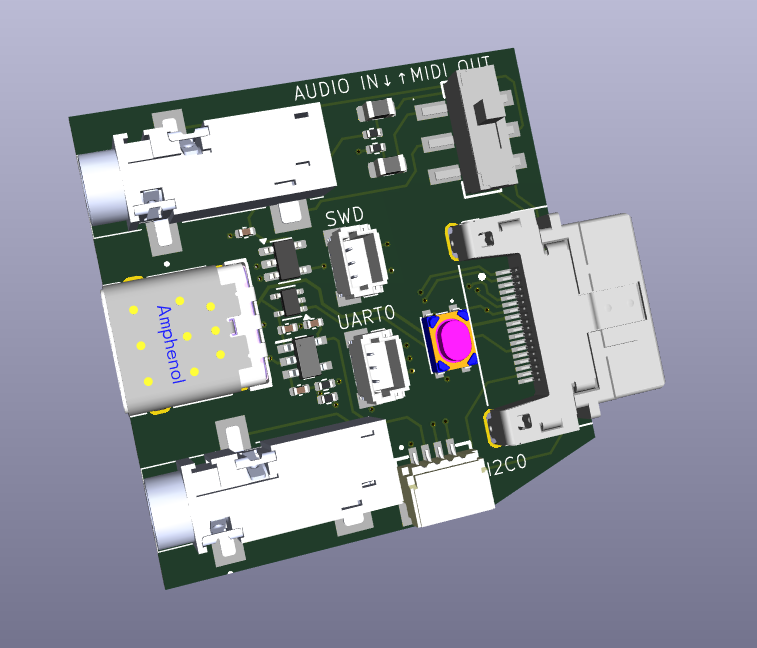
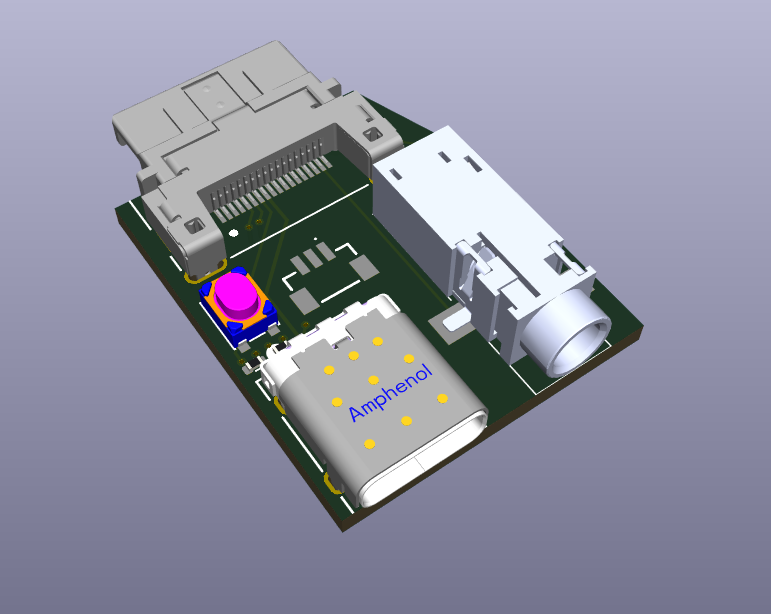
Here is the initial breakout board. It got a bit bigger than I had planned, but I wanted to get every function included out of the box. You can then make your own cables specialized to specific uses if you want something compact.
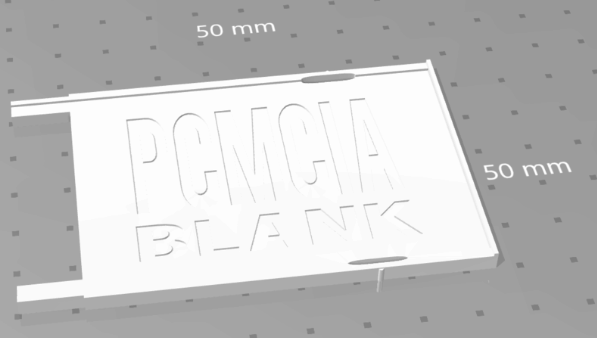
I also would like to modify this 3d print so that it extends out further, and it could be used in the slot below (where available) to support the breakout board and prevent it bending down.
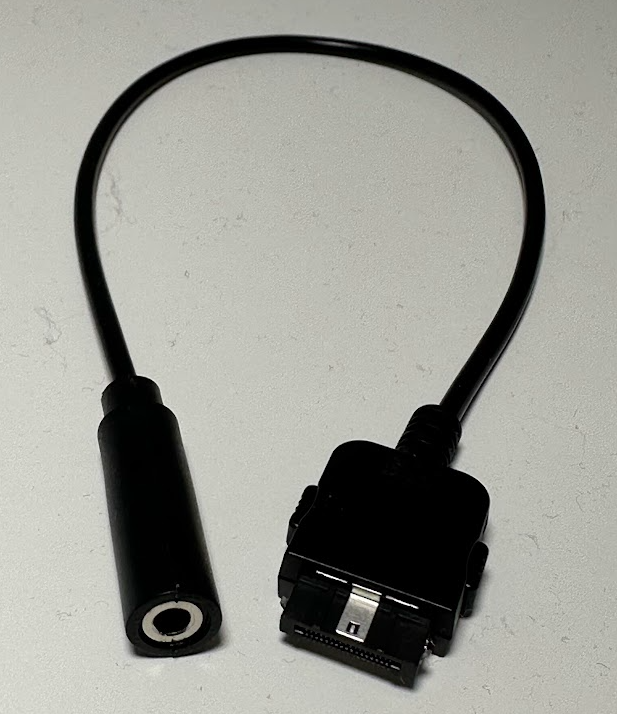
I still plan to make some specific use cables i.e. audio only, and you can still make your own cables very easy as the connectors are stocked everywhere.
Breakout Board V1
3.5mm amplified headphone output
3.5mm type-a midi output or audio line-in for mixing in dsp.
USB-C connector (USB 1.1 from RP2354) for Programming or OTG cable with mouse or gamepad/joystick.
There are several ways to use the PicoPCMCIA for networking and I will go into detail on this in another update, but here I want to focus on something new I added, a basic onboard router.
The Issue
The PicoPCMCIA emulates an NE2000 network adapter, giving it near-universal support. Almost any device with a PCMCIA socket that supports networking already has NE2000 drivers available. The tradeoff is that the host sees it as a wired connection and has no awareness of Wi-Fi settings like SSID or key. To configure wireless, you must either use a custom utility on the target system or manually edit a configuration file on the SD card.
An excellent example of such a custom utility for a similiar scenerio (BlueSCSI DynaPort), is the “BlueSCSI Desk Accessory” written by Joshua Stein.
I hope to (or somebody will) adapt this to work with the PicoPCMCIA card for use with Macs, but that leaves many other platforms so for day 1 I needed a more universal solution beyond the DOS utility I will include.
The “Solution”
I’ve added a rudimentary onboard router to the PicoPCMCIA card.
On power-up, it automatically (if enabled) attempts to reconnect to the last used SSID. The host system (your PC/PDA) is always assigned a fixed IP address of 192.168.1.100, even if Wi-Fi has not yet connected. This is especially useful for operating systems without DHCP support, as the address can be statically configured.
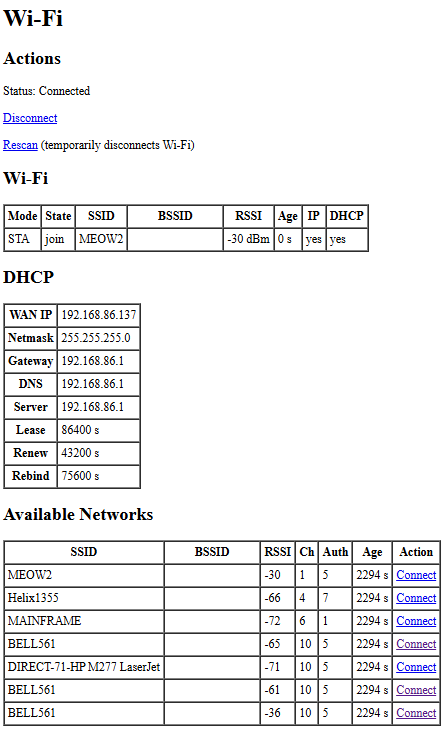
A simple management interface is available at h t t p://192.168.1.1/wifi. It uses a very basic HTML page designed to work with virtually any web browser. From there you can view the connection status, see what networks are available and attempt to connect. As this is the Pico doing the connection this of course can be any 802.11/b/g/n 2.4GHz network WPA/WPA2/WPA3 regardless what your computer/os is aware of.
Once Wi-Fi is connected, the host has IP network access through NAT routing, and WAN status is displayed on the management page. NAT also allows simultaneous use of Wi-Fi by both the host and the Pico itself, enabling additional features such as time synchronization or outbound connections from the emulated modem.
One point I would like to address is a way for devices using very simple browsers to be able to navigate through potential captive portals on public wi-fi’s. This will require some offloading of SSL etc. For another day.
Current Interface
This is simple HTML and can be improved easily, this is the bare minimum to get things going.
I selected the 18pin HRS connector as in the end it was the best way to get as many signals out of the card in such a small space, as we need the rest of the card edge for the SDCard and Antenna.
I had planned to include various cables with each card, but reality set in once I got quotes on custom cable assembly in low volumes.
I will provide some cable choices as options for an added cost. I will also offer the unsoldered connectors for those who wish to make their own cables, I will buy a bunch at once so it will be a bit cheaper than you buying your own from Digi-Key/Mouser and will save on shipping.
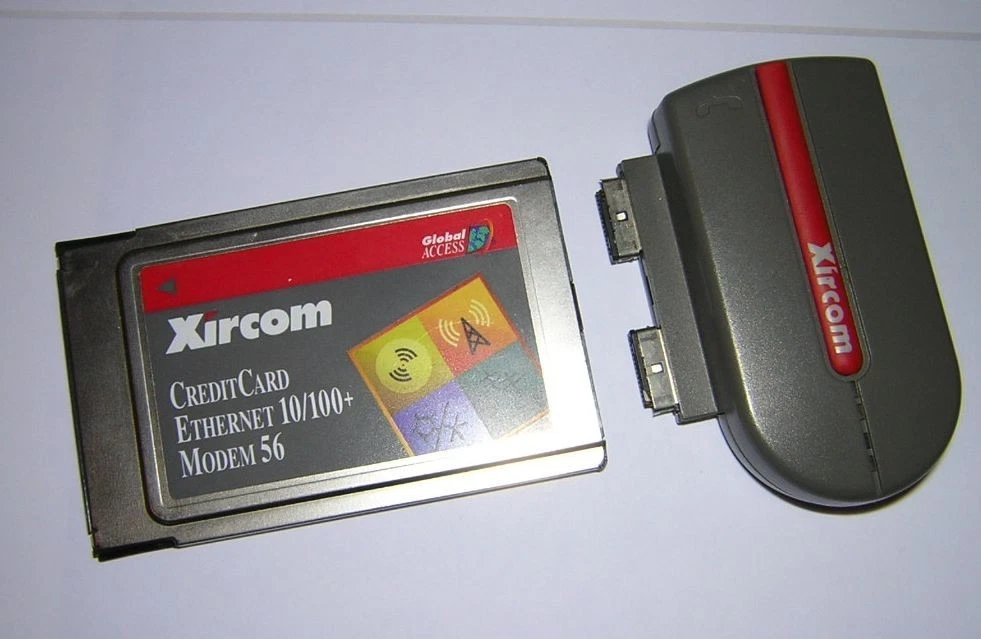
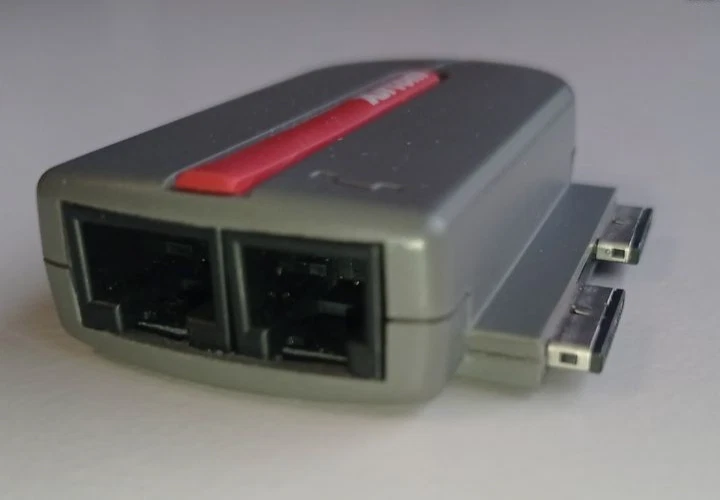
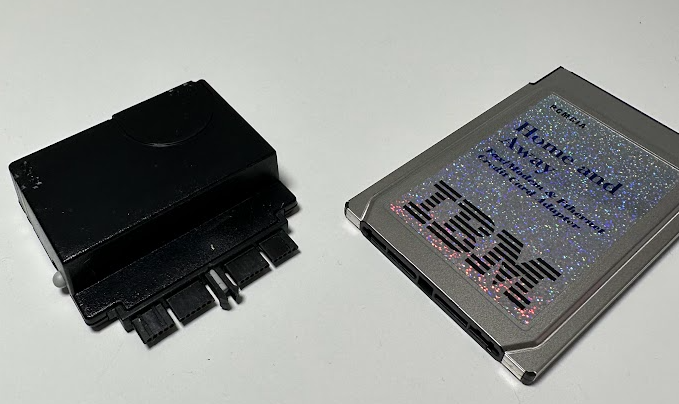
While contemplating this cost issue Kaede mentioned interest in making a PCB breakout board for development and it reminded me of these IBM/Xircom “rigid” dongles, which is the answer to the problem. A simple breakout board can be assembled much cheaper than a hand soldered cable and can provide all the basic features needed.
I’ve placed the Breakout into its own repository and I am working out the final details on it. Any feedback on features you would like to be included on this breakout would be appreciated.
Limitations / Constraints
Must not be wider that 14mm from the center of the connector on the right hand side to ensure it can fit onto cards in some confined spaces.
Can go wider on the left side but will obstruct the MicroSD. This should be okay as it is not intended to be hot swap.
Want to keep the size as small as possible for convenience but also to minimize leverage and damaging the connector.
Planned Connections
USB-C (For programming and OTG peripherals)
BOOTSEL Button (For programming)
3.5mm Headphone Jack (Amplified)
3pin JST-SH for RP2354 SWD
2.5mm MIDI OUT (not added yet)
If the budget can permit, a 3D printed clamshell to give it a finished look will be nice.
Example Rendering
Current Pinout
Pinout
Pin
Signal
Notes
1
SWCLK
RP2354 Serial Wire Debug (SWD)
2
SWDIO
RP2354 Serial Wire Debug (SWD)
3
GPIO34
User I/O: GPIO, UART0 TX, or I²C1 SDA
4
GPIO35
User I/O: GPIO, UART0 RX, or I²C1 SCL
5
USB D−
RP2354 USB Port
6
USB D+
RP2354 USB Port
7
BOOTSEL
Boot select (firmware flashing / recovery)
8
5V
5 V from PC bus (350 mA fused)
9
GND
Ground
10
I2C0 SDA
I²C master (onboard DSP + external peripherals)
11
I2C0 SCL
I²C master (onboard DSP + external peripherals)
12
—
Not connected (Yet)
13
GPIO26
UART1 TX (also internally connected to SAM2695 MIDI RX)
14
IN1_L
Line-in left (to DSP)
15
IN1_R
Line-in right (to DSP)
16
HPL
Headphones out left (from DSP)
17
HPR
Headphones out right (from DSP)
18
GND
Ground
Connectors
The PicoPCMCIA External I/O uses Hirose ST-series connectors, chosen for their compact size and robust locking mechanism.